1. Blog
  2. Article

Canonical
on 14 February 2013


We want everyone to design and build beautiful and usable apps, and the App Design Guides help us do just that! So to kick things off, if you’re thinking about how to layout your app in portrait view, here’s how.

Core layout


Your app must have

  1. A header on the top of the screen, which consists of a coloured line, a title area and a divider
  2. A content area
  3. A toolbar with app controls which is revealed by using the bottom edge

For details about the header, toolbar and content areas, read more about app layouts.

Related posts


Nina Rojc
16 June 2026

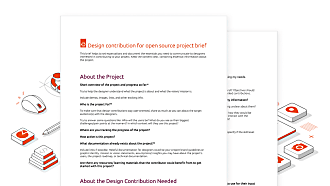
Template: Streamlining open source design contributions

Design Ubuntu tech blog

As designers working at Canonical, we’re always thinking about open source. We believe that encouraging more designers to contribute to open source  benefits everyone, from the project maintainers to the end users themselves.   In the 2025 edition of FOSSBackstage conference, we presented our research findings on  why designers don’t get ...


Miguel Divo
22 May 2026

Decoding design: How design and engineering thrive together in open source

Design Ubuntu tech blog

Open source thrives on engineering-driven processes. Fast feedback loops, terminal tools, Git workflows: they’re the lifeblood of how we build software in the open. But for software to truly excel, we need to create user experiences that empower people to use them. I wanted to bring this conversation into the spotlight as part of Canonica ...


Johann Wolf
27 April 2026

Why web engineering is great

Ubuntu Ubuntu tech blog

Hi, I’m Johann! I’m an engineering manager in Canonical’s web team. For the larger part of my 15 years of work experience as engineer, I’ve been working in web development. Like many software engineers, one of my first software development experiences started with creating my own web page. Since that time almost 25 years ago, ...